Apple Design skill: examples on HQ
31 Oct 2026. HQ's real task list and task sheet with sample tasks, same gesture on all three versions. The grey circle is the finger. Recorded in Chrome's engine at iPhone size with real touch events (not yet on a real iPhone). Each clip loops.
1. Open a task, then close it with the X
Current HQ fades in from just below and vanishes in one frame on close. Both new versions slide up from the bottom edge and slide back down.
2. A short, quick flick down
Current HQ and Plain Claude close. With apple-design stays open. This is the version that made swipe-to-close harder.
3. A slow drag down, about a quarter of the sheet
Current HQ and Plain Claude close. With apple-design springs back open.
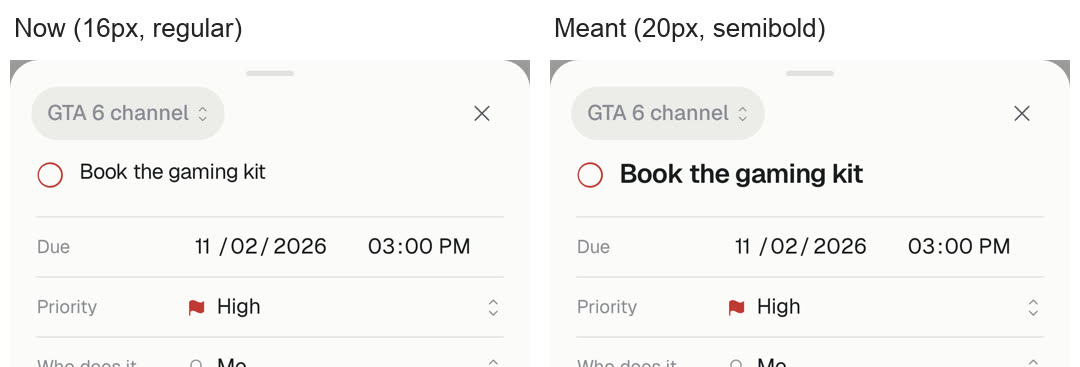
4. A bug in today's HQ: the task title
The title is meant to be 20px semibold. Two rules in HQ's styles shrink it: a general font rule takes it down to 15px regular, and the phone-only 16px rule (there so iPhone doesn't zoom into fields) brings it to 16px. Plain Claude noticed the small title but blamed only the 16px rule, which is half the cause. The skill run missed it. Screenshot from Safari's engine.
Edit dashboard examples. On a phone, turn it sideways to see the three side by side bigger.